Embark on a humorous yet relatable journey into the chaotic world of DIY computer upgrades. From tangled cables and misfitting parts to mounting frustration, this behind-the-scenes look reveals that even tech enthusiasts face a comedy of errors. Despite the chaos, these upgrades often lead to impressive performance gains that transform everyday experiences—faster speeds, smoother multitasking, and gaming improvements. But are all upgrades worth the hassle? The story highlights how small, budget-friendly tweaks like adding an SSD or increasing RAM can significantly enhance your machine, while high-end components demand patience—and sometimes, inventive troubleshooting. With shared stories of mishaps and humor, it explores the unpredictable adventure of building and upgrading your own PC. Ready to navigate the messy, unpredictable, yet ultimately rewarding world of DIY tech upgrades? This candid preview invites you to embrace the chaos and learn from the stories that make every successful upgrade all the more satisfying.

Welcome to the Chaotic, Hilarious World of DIY PC Upgrades
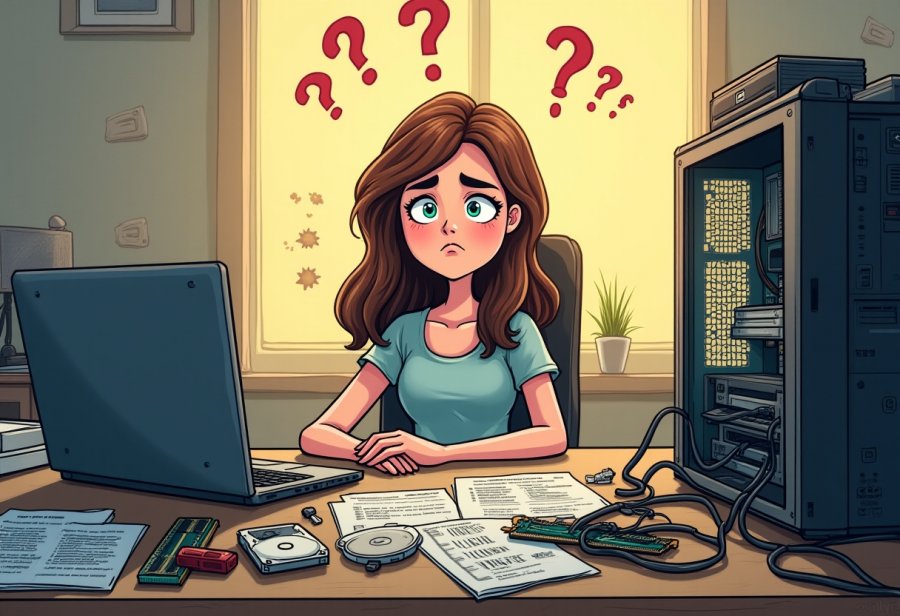
Upgrading your computer yourself often feels like stepping into a chaotic comedy show. Imagine a cluttered desk covered with tiny screws, tangled cables that resemble spaghetti, and a manual written in a language only a true tech wizard could decipher. You start with high hopes—ready to boost your device’s speed, customize it, or swap out a broken part. But as soon as you open the case, reality hits: wires everywhere, screws rolling onto the floor, and a puzzled look as you try to figure out what goes where. It’s a mix of determination, confusion, and humor that many DIY enthusiasts recognize all too well.
Many people jump into these upgrades because they want more control over their machines. Whether it’s adding more RAM to handle multitasking, installing a faster graphics card for gaming, or replacing an old hard drive with a shiny new SSD, the promise of better performance is a strong motivator. Doing it yourself gives a sense of empowerment—feeling like a tech wizard instead of relying on someone else. Plus, it can be a cost-effective way to extend your system’s life without buying a whole new computer.
But inside your PC, chaos quickly becomes the norm. Compatibility issues top the list—your new graphics card might be too big for your case or unsupported by your motherboard. Cables tend to multiply and twist into knots, transforming your workspace into a tangled mess. Mistakes happen, like inserting RAM the wrong way or forgetting to connect a power cable, which can cause your system to refuse to boot. Sometimes, you find out that your new component needs a BIOS update or a different socket type, turning a quick upgrade into a troubleshooting marathon.
Despite the chaos, many see the humor in these mishaps. Tales of tangled cables resembling spaghetti or installing a component only to realize it’s upside down get shared with plenty of laughs. Hardware incompatibilities and small errors turn routine upgrades into memorable adventures. The beauty is that even when things go wrong, there’s often a funny story behind the frustration. These moments remind us that tech upgrades are as much about patience and learning as they are about performance gains.
Getting inside your computer often feels like entering a mini jungle of wires and components. You start with good intentions—tools in hand, ready to make a change—and end up tangled in cables and screws. Every step involves disconnecting and labeling wires, handling delicate parts with care, and sometimes wrestling with tight spaces or stubborn screws. The moment you press the power button, your heart races—hoping everything is connected right, only to be met with silence or error beeps. That’s when the chaos really begins.
Many beginners approach upgrades with overconfidence, assuming all parts are compatible and that the process will be straightforward. But the reality often involves mismatched sockets, incompatible memory, static shocks, and overlooked BIOS updates. These small missteps turn what should be a quick project into a frustrating, yet often hilarious, struggle. Still, each mistake becomes a lesson, and every failed attempt adds a new chapter to your DIY story. It’s all part of the journey—where chaos, humor, and a little patience come together to make upgrading your computer an unforgettable experience.
Understanding Your Hardware: The Foundation of Control
Getting inside your computer might seem simple at first, but it quickly reveals a maze of complexity. The core hardware components—CPU, RAM, graphics card, storage drives, and motherboard—each play a vital role in your system’s performance. Understanding how they connect and communicate helps make sense of the upgrade process. For example, the CPU acts as the brain, while RAM handles your short-term memory, and the graphics card processes visuals. Knowing their functions and limitations can save you from costly mistakes and unnecessary headaches.
Upgrading involves more than just swapping parts. Compatibility issues are a common stumbling block—your shiny new GPU might not fit in your case, or the motherboard may not support the latest CPU socket. These mismatches turn what seems like a straightforward upgrade into a puzzle. Checking specifications like socket types, supported RAM speeds, and power requirements before you start can prevent many frustrations. It’s a bit like assembling furniture; having all the right pieces and tools makes the job much smoother.
Opening your PC case is the next challenge. Carefully disconnecting cables and handling delicate components demands patience. Cables tend to multiply and twist into knots, transforming your workspace into a tangled mess. Static electricity is another hidden hazard—without proper precautions, it can fry sensitive parts. Many beginners underestimate how tight spaces can be or how easily static shocks can occur, turning a simple upgrade into a frustrating ordeal.
Missteps happen easily. Installing RAM in the wrong slot, forgetting to connect a power cable, or neglecting BIOS updates can cause boot failures or system instability. These small errors often lead to hours of troubleshooting, turning what should be quick work into a marathon. Still, these setbacks are valuable lessons, and each mistake adds to your understanding of how your hardware works together. Patience and careful research are your best tools to navigate this chaos.
Ultimately, understanding your hardware’s basics transforms chaos into control. Researching component compatibility, using the right tools, and proceeding with caution can turn a daunting task into an educational experience. While the process is often messy and unpredictable, it’s also rewarding—each successful upgrade builds confidence and makes future projects easier. With a clear grasp of what’s inside your machine, you’ll see the chaos not as a barrier, but as a part of the journey to a better, faster computer.
Current Trends and Tales from the DIY Frontlines
Today’s DIY computer upgrade scene is vibrant and full of energy, driven by a mix of passion, curiosity, and a desire for better performance. Online communities are buzzing with stories of success and setbacks alike, where enthusiasts share their journeys—both triumphant and humorous. Popular trends like high-end GPUs, RGB lighting, and compact mini-ITX builds push the boundaries of what’s possible at home. But with innovation comes chaos: mismatched parts, tangled cables, and unexpected compatibility issues are still very much part of the game.
Many users dive into upgrades eager to improve their machines, only to stumble over surprises. A common frustration is discovering that a shiny new graphics card won’t fit in a cramped case or that the motherboard refuses to recognize a new CPU without a BIOS update. These setbacks turn quick projects into troubleshooting marathons, often involving creative workarounds and a lot of patience. Despite the hurdles, the community’s shared stories foster camaraderie, humor, and a collective sense that everyone faces similar challenges.
The push for smaller, more powerful builds adds a new layer of complexity. Mini-ITX cases pack components tightly, making cable management a delicate dance and installation a puzzle. Meanwhile, manufacturers continuously launch faster, more efficient parts that demand new standards and tools. This rapid evolution keeps DIYers experimenting and learning, even if it means wrestling with a tangled mess of wires or navigating a maze of compatibility questions. Everyone’s experience is a reminder that tech progress often comes with a side of chaos.
Keeping up with the latest trends can feel overwhelming, but it also fuels the upgrade enthusiasm. New GPUs, faster storage options, and cutting-edge CPUs tempt users to refresh their setups more frequently. Yet, this constant churn can lead to shortages, inflated prices, and a sense of being perpetually behind. Smart planning, patience, and a focus on practical needs help filter out unnecessary expenses, making each upgrade more satisfying and less stressful.
Behind every story of a smooth upgrade, there’s likely a tale of frustration and mishaps—screws dropped into the case, incompatible parts, or a stubborn cable that refuses to cooperate. These moments of chaos are shared with humor and good humor, turning what could be setbacks into part of the adventure. Despite the mess and missteps, the DIY community thrives on learning from each other, celebrating successes, and laughing at the inevitable mistakes. It’s all part of the ongoing journey of building and upgrading with your own hands.
Balancing the Budget: Making Smart, Cost-Effective Upgrades
DIY computer upgrades can be surprisingly budget-friendly if you focus on small, targeted improvements. Swapping out an old hard drive for an SSD or adding more RAM usually costs less than a hundred dollars and can make a noticeable difference in speed and responsiveness. These upgrades are popular because they deliver quick, tangible results without draining your wallet, making them an appealing option for anyone looking to breathe new life into an aging machine. Plus, they tend to be straightforward enough for most beginners to handle without much hassle.
However, aiming for high-end upgrades like a top-tier graphics card or the latest processor can quickly push costs into the hundreds or thousands. These parts are often expensive, and it’s easy to get caught up in the allure of the newest tech. Before splurging, it’s worth considering whether the performance gains are worth the price—sometimes, the improvements don’t justify the hefty investment, especially if other components are holding back your system’s potential. Planning your upgrades to match your actual needs can save you from overspending on features you don’t really need.
Tools and accessories add to the overall expense, often catching newcomers off guard. Basic screwdrivers, anti-static wristbands, thermal paste, and cable management supplies all help ensure a safe, clean upgrade but can add up quickly. Sometimes investing in quality tools makes the process smoother and reduces the risk of damaging delicate parts. These small but essential costs can turn a simple upgrade into a bigger financial commitment, so weighing their value beforehand helps keep the project within budget.
Smart budgeting involves balancing cost and performance. Waiting for sales, shopping for refurbished parts, or choosing mid-range components can deliver excellent results at a fraction of the price of flagship models. It’s tempting to chase after the latest and greatest, but often, just a little patience and research can lead to smarter, more cost-effective choices. This approach ensures your upgrade provides real value without turning into a money drain.
Being mindful of your budget keeps the upgrade process enjoyable rather than stressful. Focus on parts that genuinely improve your experience—whether gaming, productivity, or casual use—so you don’t overspend on features you won’t use. By understanding what delivers the best bang for your buck, you can make smarter decisions, minimize waste, and enjoy the satisfaction of a successful, affordable upgrade. That way, your tech journey remains fun, practical, and financially sustainable.
Real-Life Wins and Wacky Woes of Upgrading Your PC
Upgrading your computer isn’t just about ticking boxes on a spec sheet; it can genuinely transform your daily routines in surprising ways. Take the example of someone who upgraded their old laptop’s RAM and swapped out a sluggish hard drive for an SSD. Suddenly, everything felt faster—boot times shrank from minutes to seconds, multitasking became effortless, and opening heavy software no longer meant waiting around. Small, targeted upgrades like these turn a slow machine into a reliable workhorse, making everyday tasks smoother and more enjoyable.
On the flip side, not all upgrade stories are smooth sailing. A friend of mine decided to install a new graphics card in a cramped case and spent hours wrestling with tangled cables and stubborn screws. When she finally powered up, her system was noticeably quicker, but the process was a series of mishaps—screws dropped, cables knotted, and moments of doubt. Still, that chaotic upgrade made her gaming nights more immersive and left her with a memorable story she now laughs about. These experiences highlight how even messy, frustrating upgrades can lead to big, satisfying improvements.
Even tiny tweaks can have a big impact. An acquaintance replaced her old HDD with an SSD, and the difference was jaw-dropping—applications launched in a flash, and her system’s responsiveness skyrocketed. Tasks that used to take minutes now finished in seconds, saving her time and reducing frustration. It’s easy to overlook how much a simple hardware change can brighten your daily routine, especially when your current setup struggles with modern software or multitasking demands.
Not every upgrade goes as planned, but those setbacks often turn into lessons—and stories. Someone once upgraded their GPU only to find it incompatible with their case or power supply. Hours of troubleshooting later, they achieved a boost in gaming performance that made the hassle worth it. These moments show that patience, humor, and persistence are as vital as technical know-how. Even when things don’t go perfectly, the end result—a faster, more capable machine—makes the effort worthwhile.
The real-world benefits of upgrading are clear: faster boot times, smoother multitasking, and improved gaming or creative workflows. These changes aren’t just about bragging rights; they truly influence how you experience your device daily. Whether it’s a quick RAM boost or a major graphics card swap, each upgrade can make your digital life more efficient and enjoyable. The chaos along the way—cables, screws, and missteps—becomes part of the story, turning frustration into humor and learning. In the end, these upgrades remind us that a little mess and patience often lead to the biggest rewards.

Laughter in the Lab: Embracing the Humor and Chaos of DIY Builds
DIY computer upgrades are basically a comedy show in motion, packed with moments that make you laugh—or sometimes groan—at how chaotic things can get. One of the most common scenes is the tangled web of cables that looks more like spaghetti than a tidy setup. No matter how carefully you try to route everything, wires tend to multiply and twist into knots that seem impossible to undo. It’s almost a rite of passage—everyone has that moment where they’re trying to straighten one cable, only to create a new tangle elsewhere. The chaos often becomes a game of patience, with a few colorful expletives thrown in for good measure.
Then there’s the classic hardware mishap: installing a graphics card only to realize it’s too big for the case. Watching a bulky new GPU struggle to fit, forcing you to remove parts you’d rather leave untouched, is both frustrating and hilarious. And let’s not forget the moment you forget to connect a power cable or accidentally install RAM sticks backwards. The system refuses to start, leaving you staring at a blank screen and questioning your life choices. These little mistakes turn routine upgrades into stories everyone laughs about later, once the dust has settled.
Some of the funniest moments come from unexpected slips—like the tiny screw that rolls off the table and disappears into the depths of your case, only to be retrieved after an epic search involving flashlights and crawling on the floor. Or the time you try to force a component into a slot, only to bend pins or damage sockets. These moments of chaos are part of what makes DIY upgrades memorable. They remind us that even seasoned tech enthusiasts slip up and that a little humor can turn frustration into a shared joke.
Cable management, which seemed simple in theory, quickly becomes a tangled web of wires. No matter how neatly you try to route everything, cables tend to bunch up into knots that look like abstract art. Managing these wires can turn into an epic game of untangling, with each attempt to straighten one causing a new knot elsewhere. Despite the mess, many find the chaos amusing—it’s a badge of honor showing you’ve been there, done that, and lived to tell the tale.
And of course, no upgrade story is complete without a failed attempt that turns into a funny story. Maybe you accidentally put a CPU in backwards, or your BIOS update causes your system to go completely dark. These moments are frustrating at first, but later, they become hilarious anecdotes. They serve as a reminder that even the most carefully planned upgrades can go sideways, and that laughter is often the best way to handle the chaos.
At the end of the day, these mishaps are what make DIY upgrades so relatable. Everyone has a story about a screw rolling away or an incompatible part forcing a creative workaround. It’s these moments of chaos that strip away the veneer of perfection and reveal the true, often humorous, experience of building and upgrading your own PC. Embracing the mess—and laughing at it—turns what feels like chaos into a shared adventure, making the journey just as memorable as the finished build.